No. 98 — The playground curriculum ⫶ Ted Nelson’s Junk Mail ⫶ But what are you trying to be free of?
Where learning begins with the feet
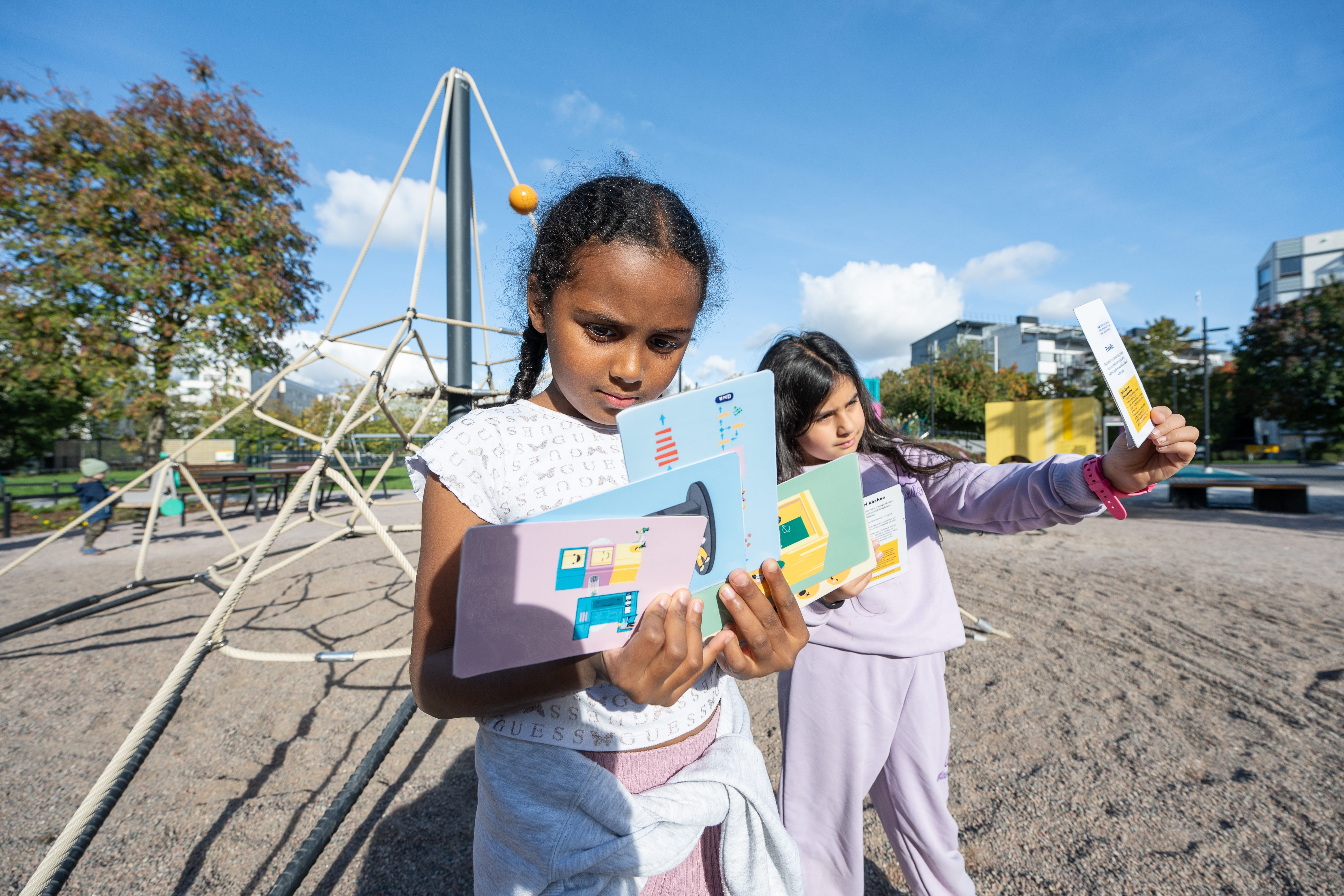
In previous editions, I’ve written about the research, planning process, and specific play equipment at the Ruoholahti playground. This newsletter tells the story of how the playground curriculum came together, and where it might lead next. It also includes all the resources, now available in English.
From the beginning, educators were central to the project. One of our core questions was this: how could a playground become a real learning environment for kindergartens, schools, and after-school groups?
If the equipment is the hardware, what kind of software brings it to life?
Our approach to computing education starts with a simple belief. cChildren are full-bodied, social, and imaginative learners. They don’t need to sit still to understand computers.
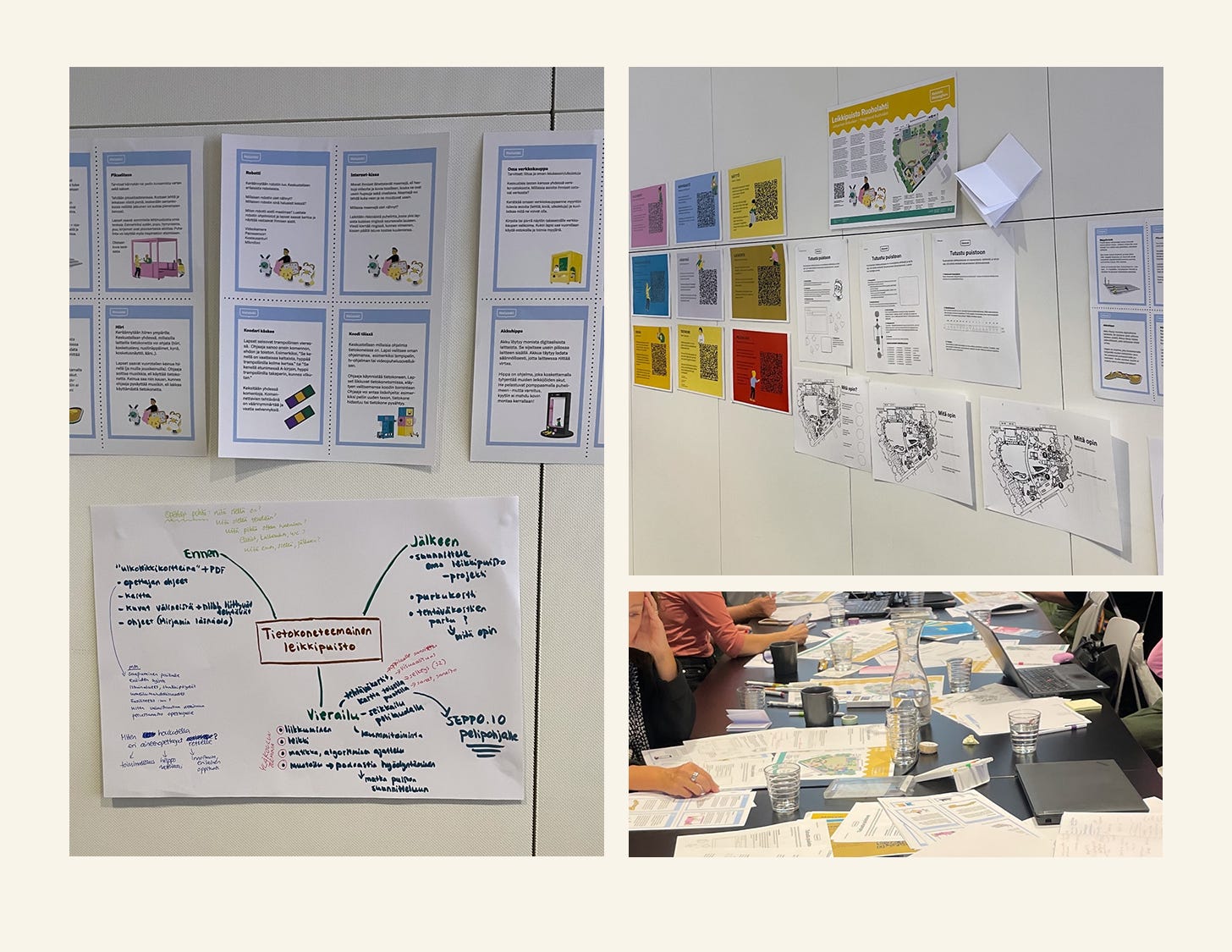
Together with educators from early childhood to primary school, we hosted workshops to explore what computing might look like when it’s physical, playful, and rooted in public space. Participants brought their own ideas, tested activities in real settings, and helped shape the curriculum through hands-on experimentation. Many key elements emerged from these sessions: laminated activity cards for teachers, posters for schools, and a comprehensive Educator’s Guide.
The result is a set of more than 20 activities that translate computing concepts into physical play. Each connects with Finland’s national curriculum across subjects like language, mathematics, physical education, and ICT. The materials also align with the City of Helsinki’s digital competency goals.

Here are a few examples:
Asphalt Code: A choreography of movement-as-instruction. Children design a program with jumps, turns, and walks, then test it on a giant flowchart.
Programmer Says: A logic game on trampolines that introduces loops, conditions, and debugging.
Computer Tower: A physical input/output experience. Climb in as a data packet and slide out as output.
Virus Tag: A new kind of tag-your-it game with challenges to discuss rootkit, trojan, or ransomware attack!

The curriculum also includes worksheets and coloring pages for different age groups, open-ended maps and classroom prompts, and posters designed for schools and libraries. An Educator’s Guide supports planning for group visits. For older students, there is a short audio story that presents the playground as a piece of public infrastructure, accompanied by a worksheet.
You don’t have to visit Helsinki to try these ideas. Start with a sidewalk and a piece of chalk. Draw a grid. Invent a code. Walk it with a friend. Change the rules. Or download one of the activities and bring it to your local park. If you create your own version, we’d love to hear how you used it, or how it changed.
Or explore individual files:
Educator’s Guide (PDF 12.2Mb)
Activity Cards (PDF 4.1Mb)
Instructions for activity cards (PDF 0.7Mb)
Audio episode and guide + worksheet (MP3 10.4 Mb + PDF 0.45Mb)
Posters (PDF 0.7Mb)
Worksheets (PDF 3.6Mb)
Map (PDF 1.1Mb)
Coloring pages (PDF 1.7Mb)
And here’s a full list of project notes so far:
No. 21 – Playgrounds 🤖 Public Spaces 📐 Architects for the very young (25 Aug 2021)
No. 22 — Paris 🇫🇷🗼 Pattern Language 🏙️ Kid City (1 Sep 2021)
No. 36 — Play/Pause ⏯️ My phone stuck its tongue out 😝 Wingspan (15 Mar 2022)
No. 65 – Playground abacus ⫶ Stochastic Parrot ⫶ Parallel Computing in the Ancient World (10 Dec 2023)
No. 76 — Playground construction ⫶ Worldbuilding ⫶ Jean Bartik (20 May 2024)
No. 78 – Umarell : Star Stuff : A tinkering bibliography (15 Jun 2024)
No. 80 – Booleans : Primeval numbers : Incomplete City (10 Jul 2024)
No. 85 — Playing in the streets ⫶ Pop-up computing ⫶ Shelf space (5 Oct 2024)
No. 86 — A playground to outlast the feed (25 Oct 2024)
No. 87 — Playground process ⫶ The Anchor Song ⫶ Berlin next week (5 Nov 2024)
No. 89 — A Playground Worth a Thousand Programmes (20 Nov 2024)
No. 94 — Hopscotch ⫶ Nassi-Shneiderman (15 Jan 2025)
Linked List
In computer science, a linked list is a linear collection of data elements whose order is not determined by their physical placement in memory. But here, it’s a selection of things I’ve been reading lately.
Ted Nelson’s Junk Mail. Speaking of small archives. Love this! An accidental archive of computing history: brochures, flyers, and catalogues from the early days of tech, rescued from boxes and now scanned for the Internet Archive.
Forced Rhubarb. So a forced rhubarb is rhubarb that grows without light, harvested only by candlelight to suppress its tartness. This story has super fun details. Pair with the sound of forcing rhubarbs.
For a Student Who Used AI to Write a Paper. A poem by Joseph Fasano that ends with the best question: But what are you trying to be free of?
Classroom
I’m hoping to surface and share stories from all of you, and I’d love to see your creations! Here are a few teachers using Ruby in creative, fun, and inspiring ways.
So this is not really a classroom activity, but a lovely discussion I had with Dan.
We discuss...
How parents and teachers can prepare kids for whatever comes next...
How to cultivate creativity, curiosity, and fearlessness
Why play is not just for kids — how your software org can play more — and why you should!
You’ll find the discussion also on Spotify:
And Dan’s newsletter: